Device Farm Managed WDA
The device farm provides an automated way to build, re-sign, and upload the WebDriverAgent. This approach requires at least one Mac node machine registered in your device farm.
Prerequisites
- At least one Mac node machine registered in the device farm with:
- Xcode and Xcode command line tools installed
- A valid Apple account (with or without a developer program subscription)
- Provisioning profiles configured (see Manual Setup section for details on creating provisioning profiles)
Steps
-
Open the device farm dashboard in your browser and navigate to the
Appssection. -
Click on
WDA Managementto access the WebDriverAgent management interface.
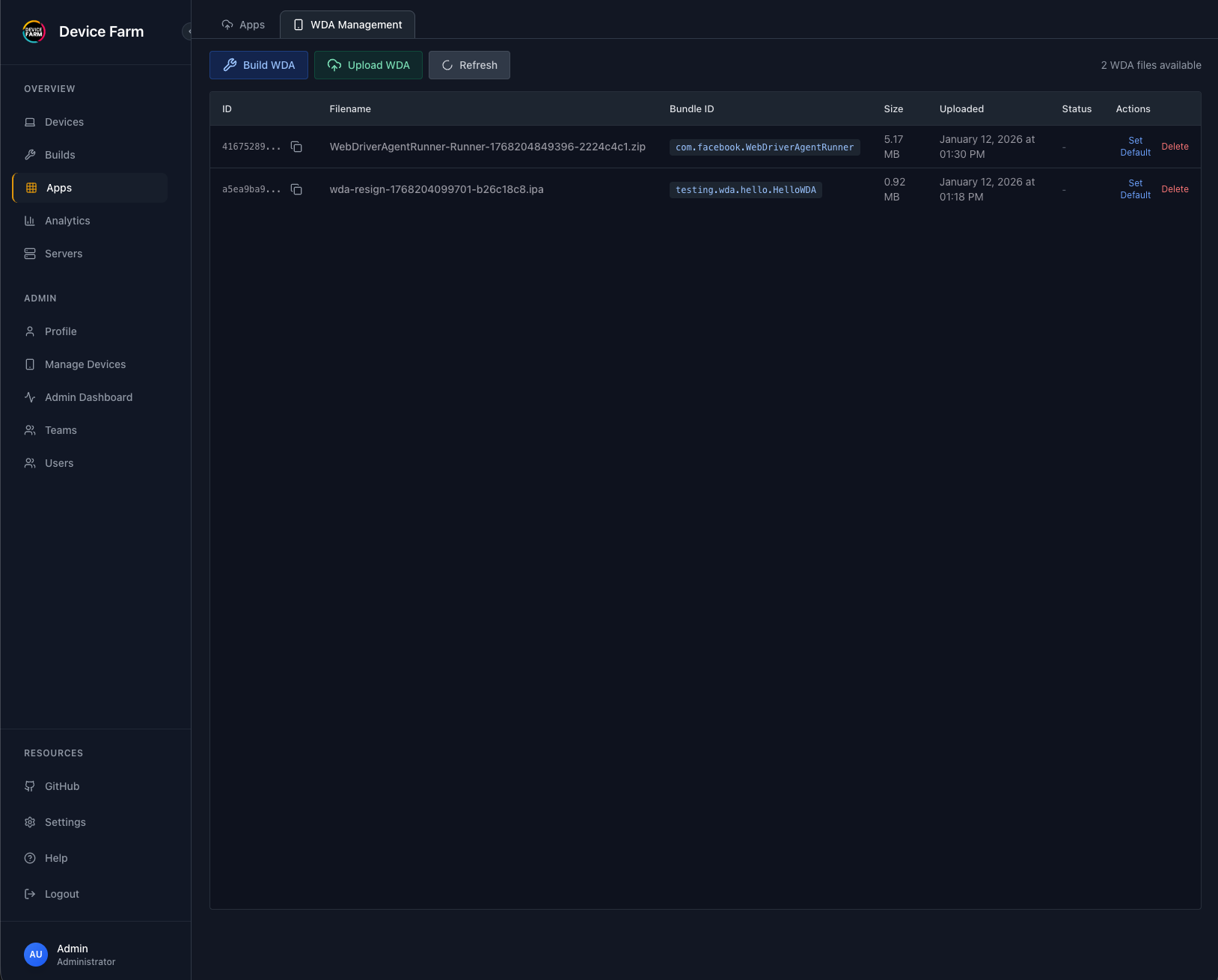
-
Click on
Build WDAto start the automated build process. -
Select the Mac node machine from the dropdown menu. The device farm will use this Mac machine to build and re-sign the WDA.
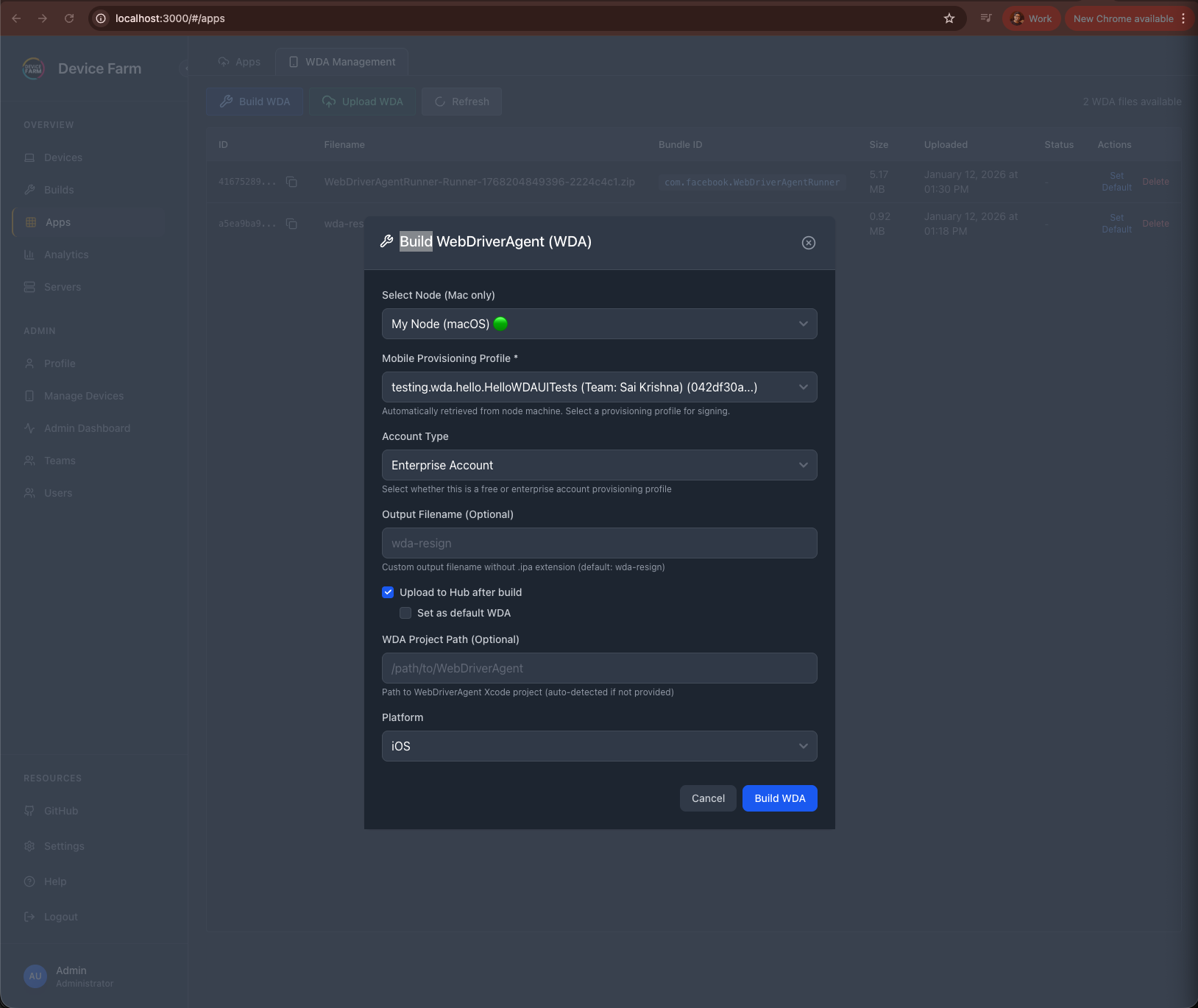
- The device farm will automatically:
- Build the WebDriverAgent from source
- Re-sign it with the provisioning profile available on the selected Mac node
-
Upload it to the device farm
-
Once the process completes, you should see a success message. The WDA is now ready to use with your iOS and tvOS devices.
The device farm will automatically select the appropriate WDA file based on the connected device type:
- iOS devices (iPhone, iPad) → wda-resign.ipa
- tvOS devices (Apple TV) → wda-resign_tvos.ipa